
Your house style on every CV, from every consultant
Send us the CV format you already use. Our designers rebuild it as a pixel-perfect template in about 48 hours — then every CV your team formats comes out on brand automatically.
- Built by our design team
- Typically live in 48 hours
- Included on Essential & Pro
From your reference file to a live template
Send your reference CV
Share an example CV in your house style, plus your logo and brand fonts.
We rebuild it
Our designers recreate the layout as a live, reusable template.
Review and refine
Check the template on real candidates and request adjustments.
Go live
Set it as the team default — every CV now lands in your house style.
Every detail of your house style, reproduced
A template is more than a logo in the corner. These are the rules we build in.
Typography
Your brand fonts, sizes, weights and heading styles — or the closest licensed web-safe match.
Colours
Exact brand colour codes for headings, rules, bands and accents.
Logo & header
Logo placement, header and footer content, page numbers and confidentiality lines.
Section order
Profile, key skills, experience, education — in the order your clients expect.
Date & naming rules
One date format, consistent job-title casing and employer naming across every CV.
What to leave out
Rules such as removing photos, dates of birth or references by default.
The CV is part of your agency's product

Clients judge the agency by the document
Hiring managers see dozens of CVs from several agencies. A clean, consistent, recognisably branded document signals care and quality before they read a word — and makes your candidates easier to compare.
- Recognisable at a glance in a client's inbox
- Easier side-by-side comparison
- Professional look on every submission

No more "creative" variations
Without a template, each consultant tweaks the format a little. Over time you end up with a dozen versions of your house style. A locked template keeps every office and every new starter on brand from day one.
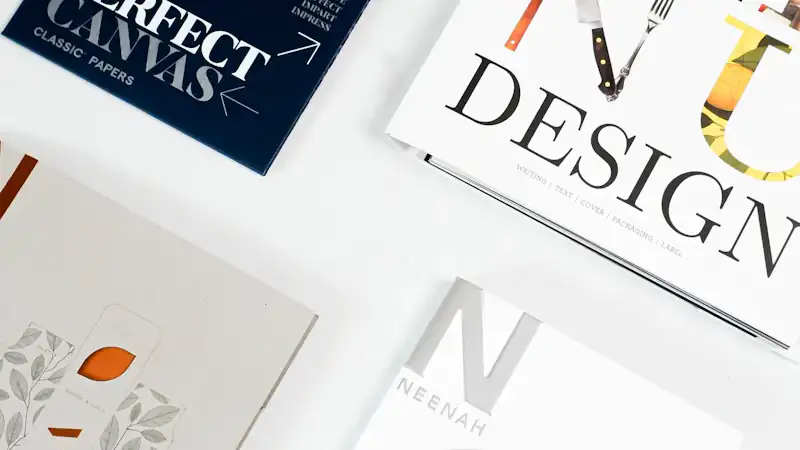
Or start with a professionally designed template
Use one of these today with your logo and colours, and switch to a custom template when it is ready.
One template per client, if that's what they want

Some clients — especially on MSP and RPO programmes — insist on their own CV format. Keep a template for each one in your workspace and pick it at export, or use it for a whole batch.
- Per-client, per-office or per-market templates
- Switch templates in one click
- Same candidate, different format, no retyping
What to send us for the fastest build
| Item | Why we need it | Required? |
|---|---|---|
| Example CV in your house style (DOCX or PDF) | The master layout we rebuild | Required |
| High-resolution logo (SVG or PNG) | Sharp logo on screen and print | Required |
| Brand colour codes (HEX) | Exact colour matching | Recommended |
| Brand font files or names | Typography match | Recommended |
| Formatting rules (dates, section order, exclusions) | Consistent output on every CV | Recommended |
| Client-specific variations | Extra templates per client | Optional |
Consistency clients notice
★★★★★“As a headhunter I'm constantly buried in CVs. Automatic formatting to our agency standard has saved us countless hours every week.”
★★★★★“Format My CV is brilliant — our consultants save roughly 80% of their time. After years of searching, nothing else came close on accuracy.”
★★★★★“Hands down the best automatic resume formatter I've used. I switched firms and brought it with me — and recommend it constantly.”
Signs your CV format needs a template
If three or more of these sound familiar, your house style is drifting.
- Consultants keep their own "latest" version of the template
- Two CVs from the same agency look different to a client
- Old logos or colours still appear on some CVs
- Dates, headings and job titles are formatted inconsistently
- New starters spend their first week learning the format
- Contact details occasionally slip through on submitted CVs

Keep your brand locked — and easy to update
One source of truth
Templates live in the workspace, not in consultants' folders.
Update once
Rebrand or tweak the template and every new CV uses the new version.
Per-client variants
Add client-specific templates without touching the master.
Export your branded CVs anywhere
PDF for clients, Word for your own systems, or a secure link.
Your ATS or CRM
Export PDF or Word and attach it to the candidate record in whatever system you use.
Outlook & Gmail
Forward CVs to your workspace address and receive formatted versions back.
Paste a profile URL to create a CV in your house style.
Shared drives
Download individual files or a batch ZIP straight into shared storage.
Key terms explained
Plain-English definitions of the terms used on this page.
- House style
An organisation's rules for how documents should look and read: fonts, colours, logo placement, section order, date format and tone. In recruitment, the house style defines how every candidate CV is presented.
- Branded CV template
A reusable CV layout carrying an agency's logo, fonts, colours and section order, so every candidate submitted to clients looks consistent and recognisably from that agency.
- Candidate profile
A recruiter-prepared document presenting a candidate to a client, usually combining a formatted CV with a summary and the consultant's assessment. Common in executive search.
- MSP (managed service provider)
An organisation that manages a client's contingent workforce programme, including which staffing suppliers are used and how candidates are submitted — often with strict CV format rules.
Branded template FAQs
How long does a custom branded CV template take?
About 48 hours. You send an example CV in your current house style plus your logo and fonts; FormatMyCV's design team rebuilds it as a live template; you review it on real candidates and request any tweaks. Essential and Pro plans each include one custom template free, and extra templates (for example per client) are available on request.
What do I need to send you?
An example of a CV in your current house style (Word or PDF), your logo in high resolution and, if you have them, your brand fonts and colour codes. A short note on any rules — section order, date format, what to leave out — helps too.
Which plans include a custom template?
Essential and Pro each include one custom template free. Additional custom templates — for example one per client or per office — are available on request.
Can I have a different template for each client?
Yes. Manage as many templates as you need in your workspace: one per client, per practice group, per office or per market, and switch between them in one click.
Can I change the template later?
Yes. Rebrands and tweaks happen. Send the change and we update the template; every CV formatted afterwards uses the new version.
What if I do not have a house style yet?
Start with one of the four professionally designed starter templates — Minimal, Classic, Academic or Modern — with your logo and colours applied.


Get your branded template built
Start free, send us your house-style CV, and see your own template on real candidates within days.
Unlimited team seats on every plan · Cancel anytime · GDPR-friendlyAsk us anything about your CV workflow
Send a note and a real person replies within one business day — or book a 20-minute demo and watch your own CVs reformatted live.
Reach us directly
- Emailsupport@formatmycv.com
- London+44 20 3807 7392
- DemoBook a 20-minute demo
London N1 7GU
United Kingdom
Replies within one business day · No sales sequences · GDPR-friendly